自动化运维架构笔记 Ansible
Ansible 什么是Ansible IT自动化工具 依赖于现有的操作系统凭证来发个控制远程服务器 简单易用 安全可靠 Ansible可以完成哪些任务 配置系统 开发软件 编排高级的IT任务 特点 轻量级(命令行) 易学习(中文文档) 操作灵活 执行流程 安装配置 pip装(编译依赖的开发库可能出错
Ansible#
什么是Ansible#
- IT自动化工具
- 依赖于现有的操作系统凭证来发个控制远程服务器
- 简单易用 安全可靠
Ansible可以完成哪些任务
- 配置系统
- 开发软件
- 编排高级的IT任务
特点
- 轻量级(命令行)
- 易学习(中文文档)
- 操作灵活
执行流程
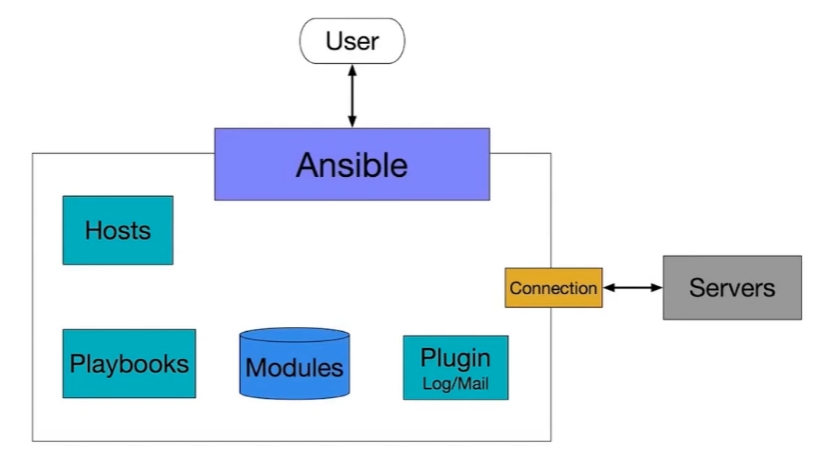
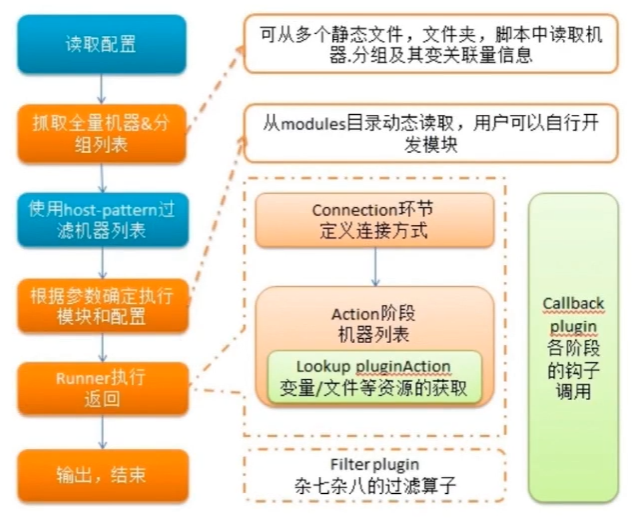
安装配置
pip装(编译依赖的开发库可能出错)
sudo pip install ansible
软件源(可能有跨平台的问题):
- 配置Host连接主机:/etc/ansible/hosts(vim进入 :wq退出)
- [test]
- 192.168.1.1
- 配置SSH
- 添加公钥到远程主机:ssh-copy-id -i ~/.ssh/id_rsa.pub root@192.168.1.1
- 测试 ssh root@192.168.1.1
- 连通测试
- 运行命令:ansible 192.168.1.39 all -m ping —user=root
Ansible Ad-hoc#
命令行工具 适用于业务快速变更(区别playbook)
所见即所得
Ansible help message
- 普通可选参数
- 链接目标主机相关参数
- 权限控制相关参数
列出目标主机目录
ansible test -m shell -a "ls /root" --user=root
目标主机登陆需要密码
ssh root@192.168.1.1
vim .ssh/authorized_keys
(#注释掉)
ssh登陆失败
ansible test -m shell -a "ls /root" --user=root --ask-passAnsible help
- -f并发
- -m 指定模块使用
- -i 改变默认行为
- 连接参数
Ansible Inventory#
定义主机关系的文件#
默认路径:/etc/ansible/hosts
文件内容格式位ini
Inventory主机组:#
- 192.168.1.1
- 【组名】
- 192.168.1.2
- 192.168.1.3
Inventory主机别名#
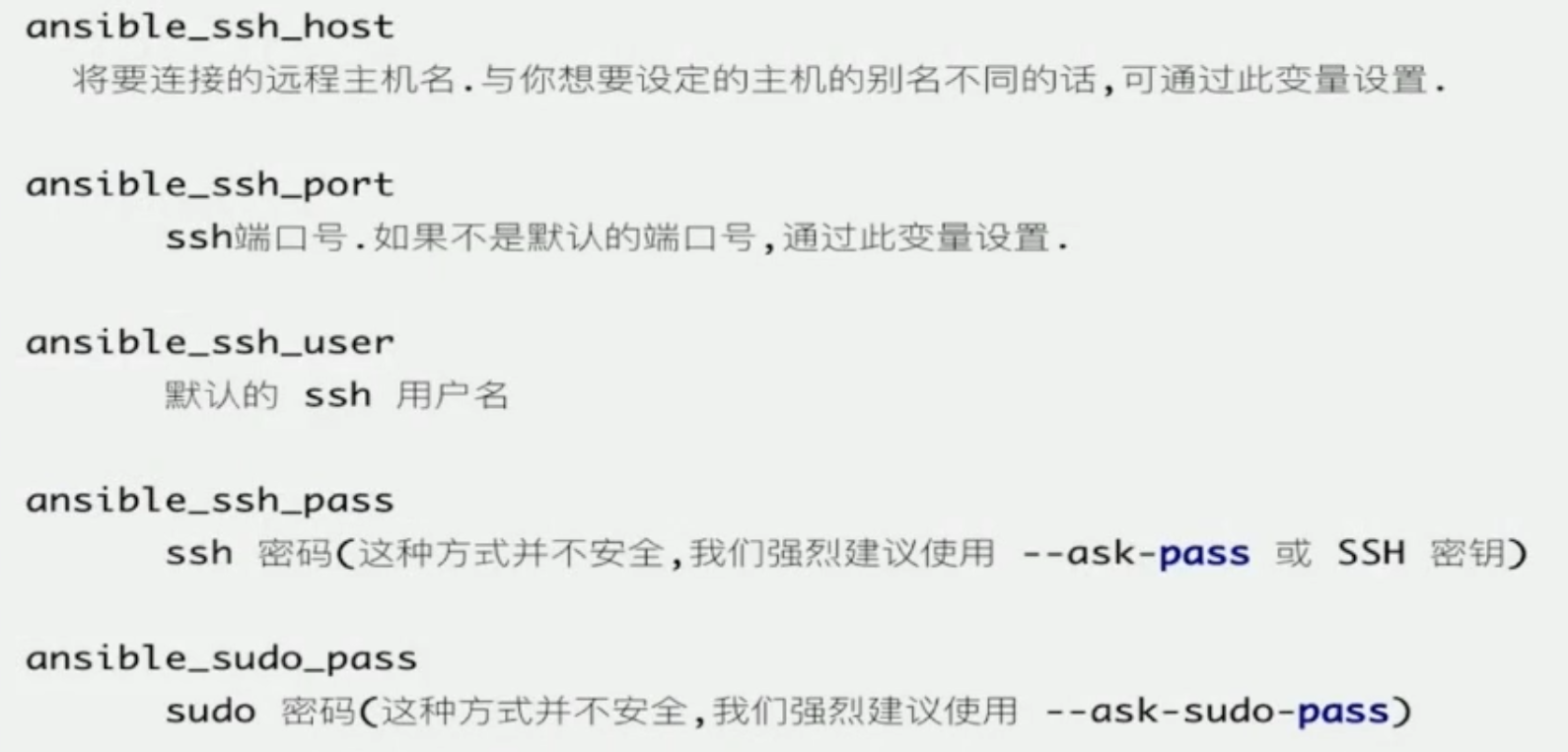
test ansible_ssh_port=22 ansible_ssh_host=192.168.1.1 annsible_ssh_user=root
也可以分组
Inventory链接参数#
Inventory批量主机组#
【webservers】
www[01:50].example.com
[databases]
db-[a:f].example.com
Ansible基本使用实战#
了解Ansible使用
了解Ansible模块查找使用方法
实战需求:
- 安装MySQL到测试机
- 管理测试机的MySQL服务
需要:
- 一条测试机器:client
- 配置好ansible环境:master
ansible test -m yum -a "name=mariadb-server state=latest"
ansible test -m systemd -a "name=mariadb state=stopped"
ansible test -m shell -a "ps -ef|grep mysql|grep -v grep"什么是Ansible Playbook#
- 是一门编程语言
- 命令集合
- yaml格式
功能列表:#
- 声明配置
- 编排复杂任务
- 控制任务执行
与Adhoc关系#
- Playbook是对Adhoc的编排
- Adhoc适合简单快速的任务
- Playbook适合做一些复杂的任务
支持的特性#
- 变量定义
- 顺序 Or 选择 Or 循环结构
Ansible Playbook使用入门#
选定Host
指定登陆用户
使用Shell模块输出Hello World
hosts:test
remote_user: root
tasks:
- name: Hello World
	shell: ls /root

ansible-playbook test.ymlPlaybook变量#
- 以字母、数字、下划线组成
- 始终应该以字母开头
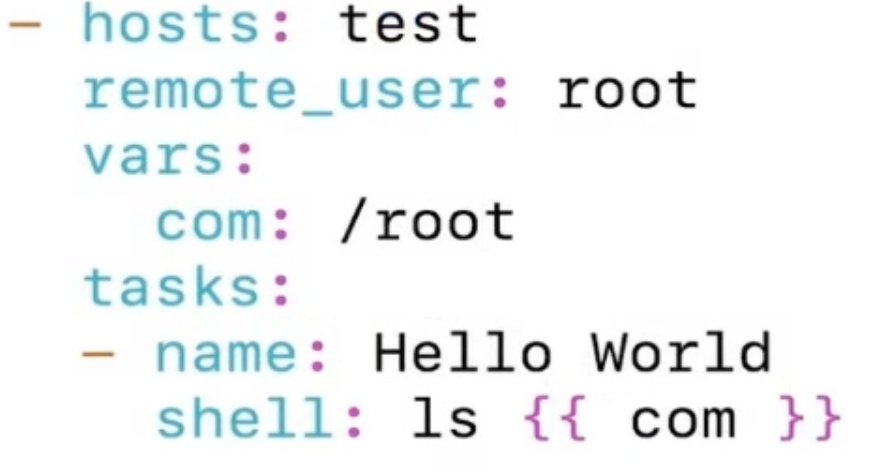
变量位置#
- Inventory
- Playbook(开头如果是大括号,就用双引号)
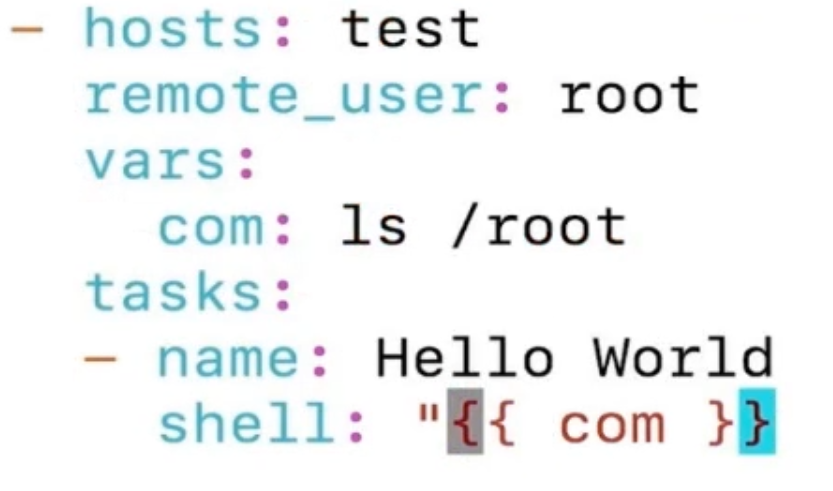
系统变量#
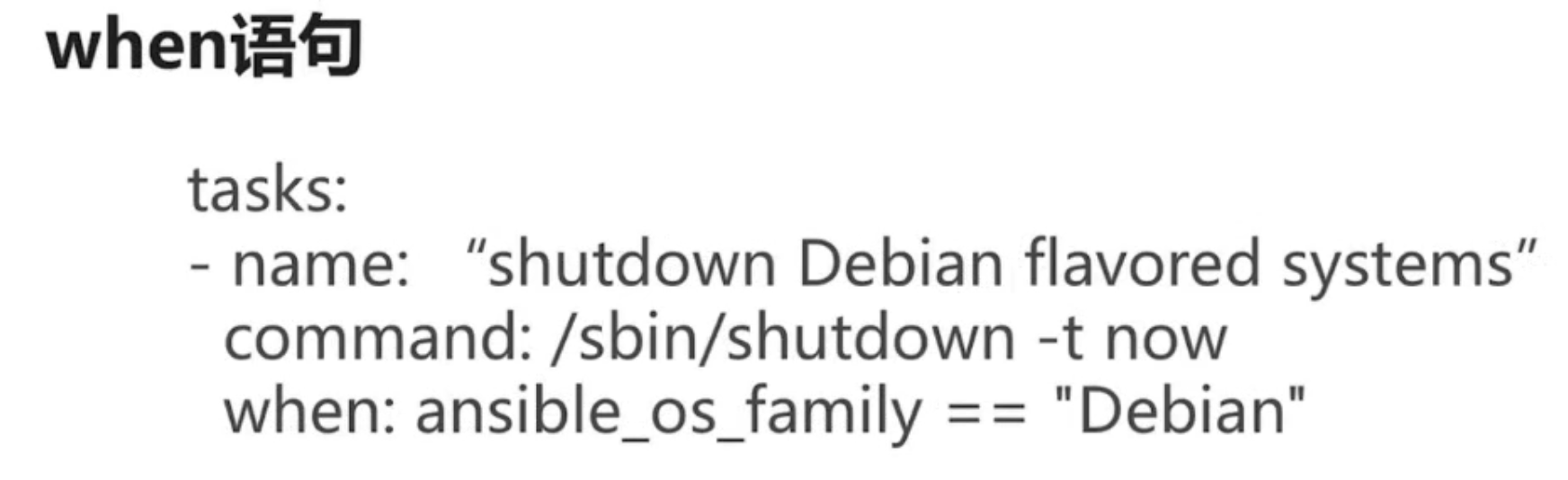
when语句#
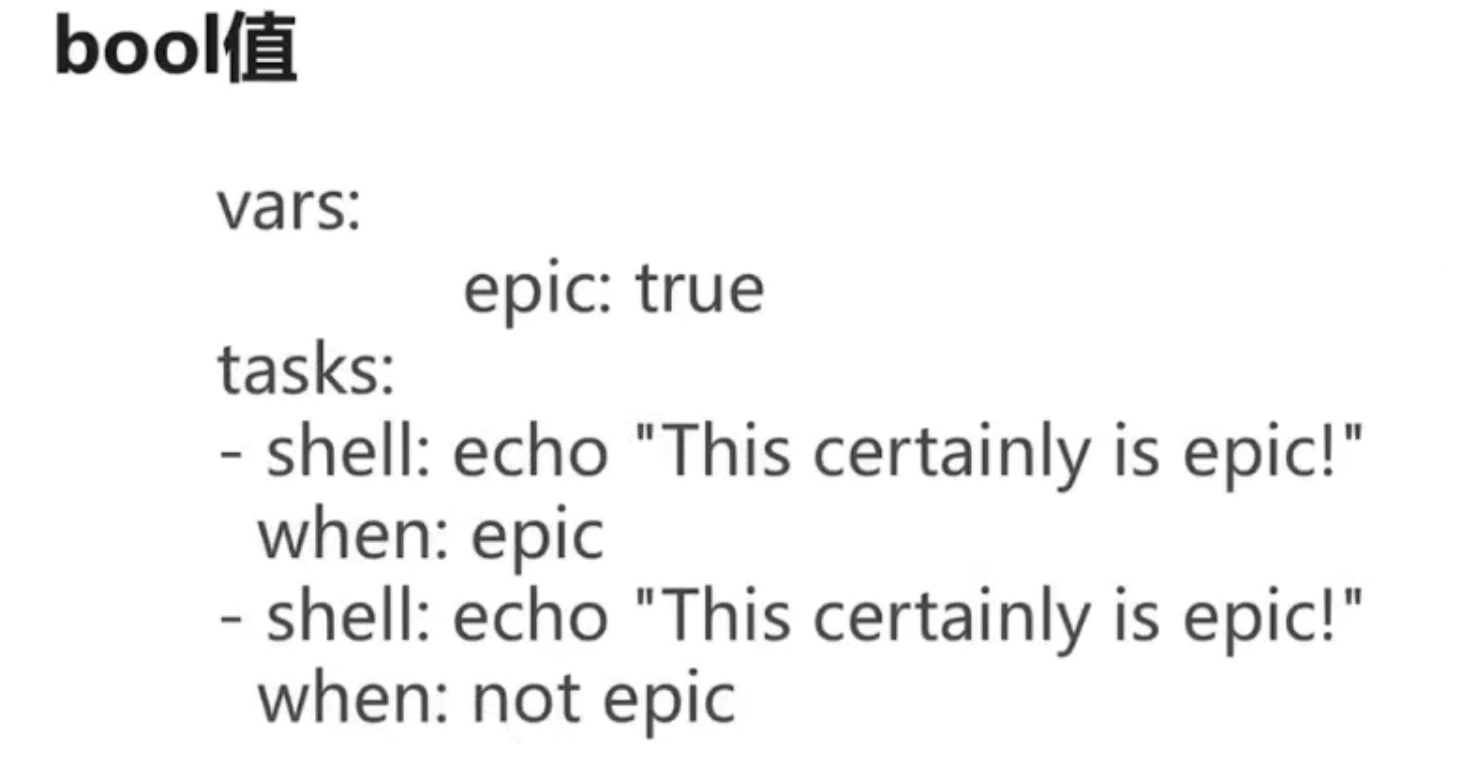
bool值#
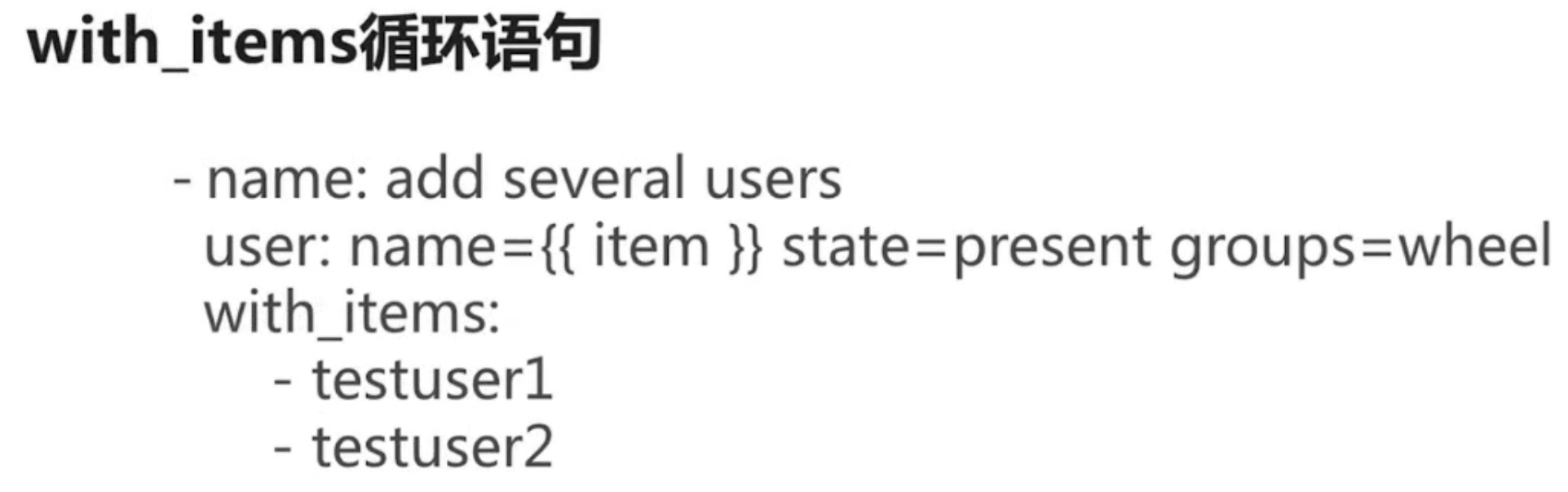
with-items循环语句#
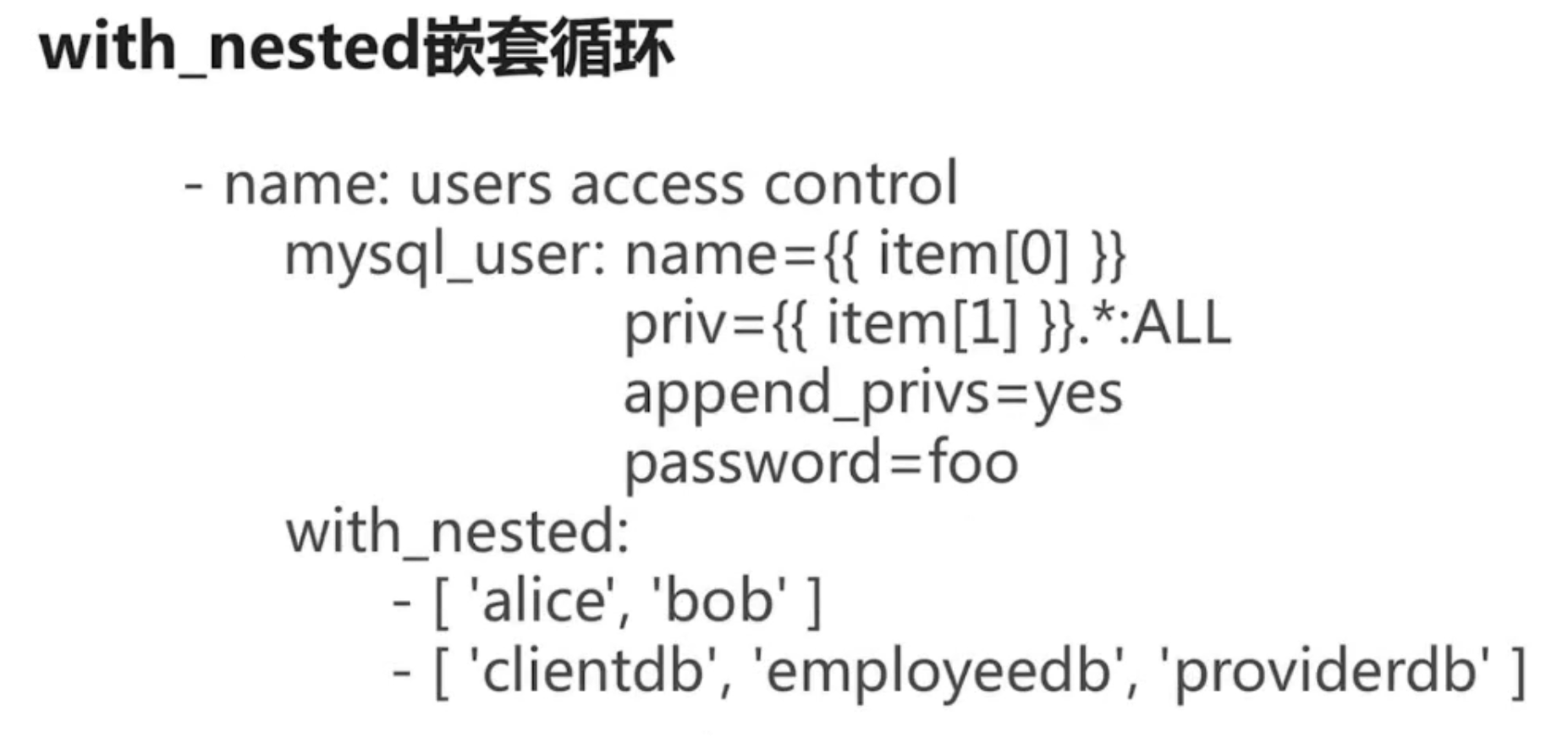
with_nested嵌套语句#
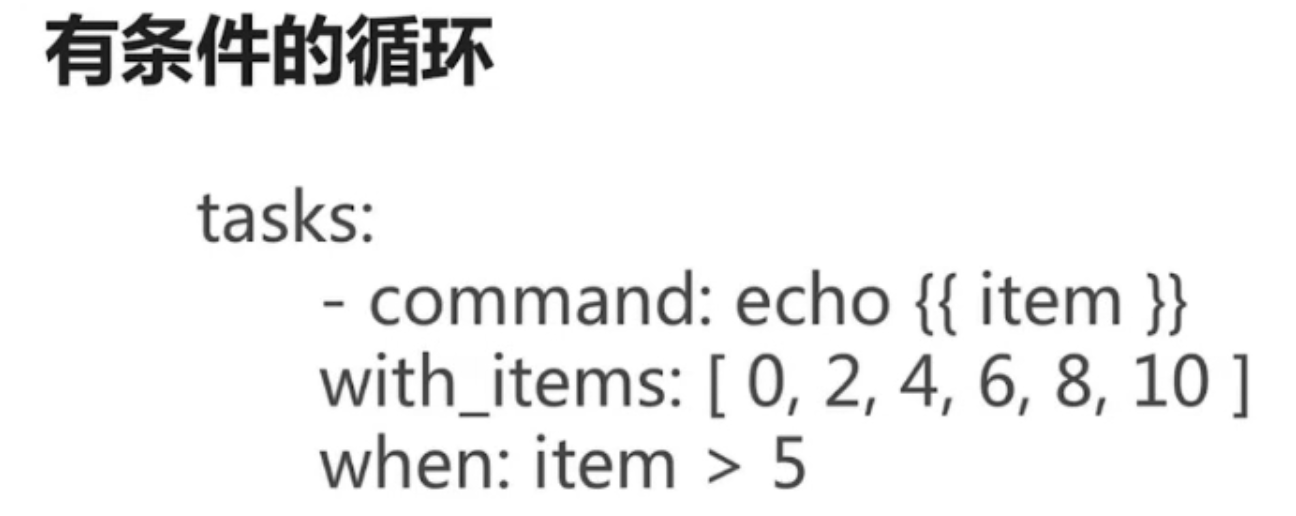
有条件的循环#
Ansible-Zabbix安装#
- 需求分析
- zabbix server安装
- Master和Client,Centos和Ubuntu各一个(保证最小集群)
- Zabbix进程正常启动
- 流程分析
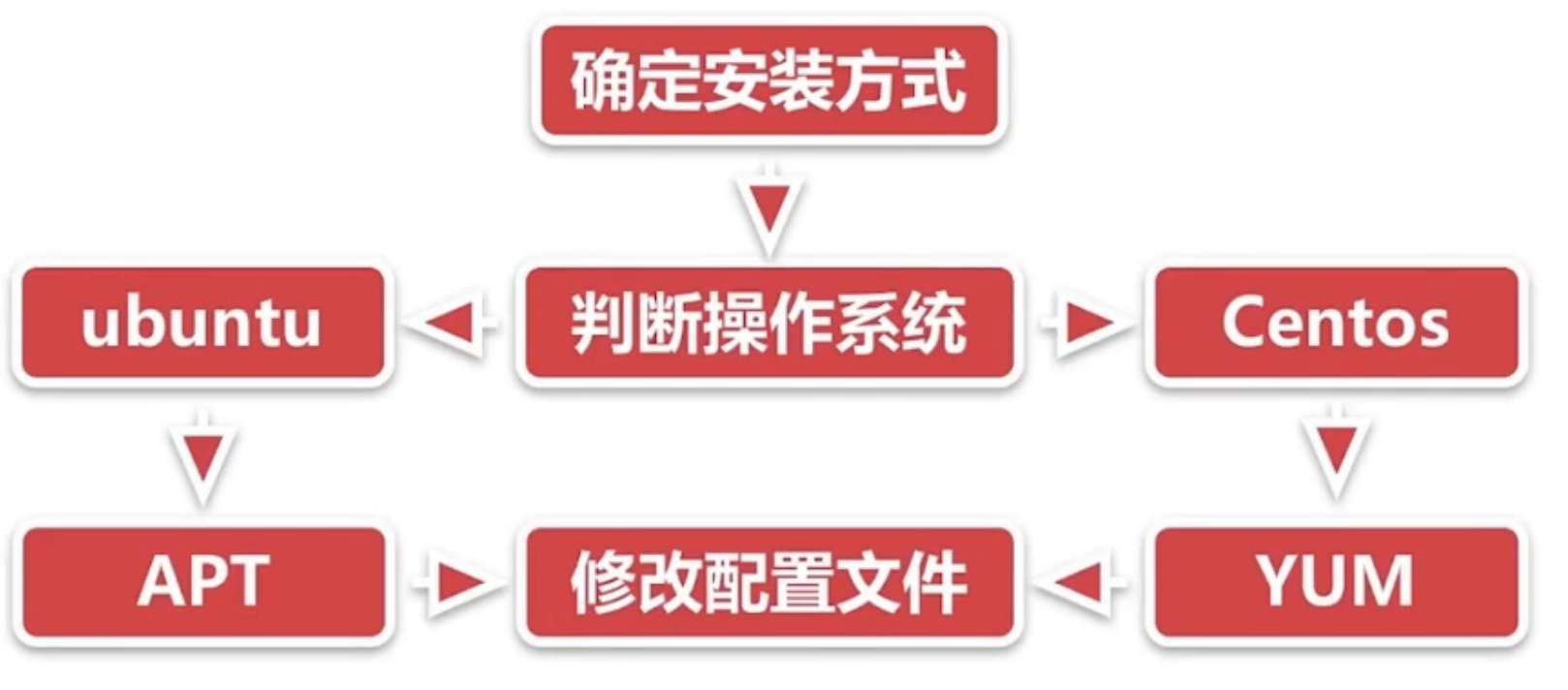
- 确认安装方式
Shell版本#
-
plaintextrpm -ivh http://repo.zabbix.com/zabbix/3.4/rhel/7/x86_64/zabix-release-3.4-2.el7.noarch.rpm yum -y install zabbix-server-mysql yum -y install zabbix-proxy-mysql yum -y install zabbix-web-mysql yum -y install mariadb-server systemctl start mariadb mysql -uroot -e "create database zabbix" sed 's/DBUser=zabbix/DBUser=root/g' -i /etc/zabbix/zabbix_server.conf zcat /usr/share/doc/zabbix-server-mysql-3.4.7/create.sql.gz | mysql -uroot zabbix setenforce 0 systemctl start zabbix-server -
结果验证
scp centos7_install_zabbix.sh root@192.168.1.39:~
ssh root@192.168.1.39 “bash centos7_install_zabbix.sh”
Shell脚本要写很多判断看是否与运行正常 编写复杂 操作繁琐 跨平台问题
Playbook版本#
vim /etc/ansible/hosts
centos ansible_ssh_port=22 ansible_ssh_host=192,168.1.39 ansible_ssh_user=root
ubuntu ansible_ssh_port=22 ansible_ssh_host=13.94.42.159 ansible_ssh_user=simon
[test]#分组
centos
ubuntu
vim test.yml
hosts:test
become:true #使用root权限
tasks:
name: install zabbix rpm
yum:
name:http://repo.zabbix.com/zabbix/3.4/rhel/7/x86_64/zabbix-re lease-3.4-2.el7.noarch.rpm
state: installed
when: ansible_distribution == 'Centos'
name: download zabbix deb
get_url:
url:http://repo.zabbix.com/zabbix/3.4/ubuntu/pool/main/z/zabbi x-release/zabbix-release_3.4-1+xenial_all.deb
dest:/tmp/zabbix.deb
when: ansible_distribution == 'Ubuntu'
name: install zabbix deb
apt:
name:/tmp/zabbix.deb
state: installed
when: ansible_distribution == 'Ubuntu'
name: install zabbix deb
apt:
deb:/tmp/zabbix.deb #从本地装
when: ansible_distribution == 'Ubuntu'
name: install zabbix server
yum:
name:"{{ item }}"
state: installed
with_items:
-zabbix-server-mysql
-zabbix-proxy-mysql
-zabbix-web-mysql
when: ansible_distribution == 'Centos'
name: install zabbix agent
apt:
name: zabbix-agent
state: installed
when: ansible_distribution == 'Ubuntu'
name: config zabbix server
replace:
path:/etc/zabbix/zabbix_server.conf
regexp: DBUser=zabbix
replace: DBUser=root
when: ansible_distribution == 'Centos'
name: import db format
shell: zcat /usr/share/doc/zabbix-server-mysql-3.4.7/create.sql.g | mysql -uroot zabbix
when: ansible_distribution == 'Centos'
name:disable selinux
selinux:
state: disabled
when: ansible_distribution == 'Centos'
name: start zabbix server
systemd:
name:zabbix-server
state: started
when: ansible_distribution == 'Centos'
name: start zabbix agent
systemd:
name:zabbix-agent
state: started
when: ansible_distribution == 'Ubuntu'
ansible-playbook test.yml